
schema_markup: '{"@context":"https://schema.org","@type":"BlogPosting","headline":"The Complete LinkedIn Content Workflow for Busy Founders","description":"Complete LinkedIn content workflow for busy founders. How to produce, schedule, and optimize a year's worth of content in under 3 hours per week.","author":{"@type":"Person","name":"LinkPilot"},"datePublished":"2025-06-02","publisher":{"@type":"Organization","name":"LinkPilot"}}' cta: "Stop wasting time on daily content creation. Use LinkPilot to build your complete weekly workflow in under 2 hours."
I publish every weekday on LinkedIn. I've done this consistently for 14 months. I also run a company, take client calls, and have a life outside of content marketing.
The secret isn't discipline. It's workflow.
A well-built workflow makes consistency automatic. It removes the daily decision about what to post and when to post it. It turns LinkedIn from a drain on your attention into something that runs in the background while you focus on actual business work.
This is the complete workflow I use. Not a simplified version. Not a beginner version. The actual system that produces five posts per week, every week, without requiring me to think about it on any given day.
Why Founders Need a Content Workflow That Doesn't Require Their Daily Attention
Founders have a specific problem with content. They know they should be doing it. They know it works. But they can't afford to spend 30 minutes every day deciding what to write, writing it, and publishing it.
That time has to come from somewhere. And for founders, the opportunity cost of that time is almost always higher than the return from a single post.
The solution isn't to do content faster. It's to do content less frequently in terms of decision-making but more frequently in terms of publishing. Batch your creation. Schedule your publishing. Build a system that runs without your daily involvement.
This isn't about being disengaged from your content. It's about being engaged strategically rather than operationally. You make the big decisions about themes, voice, and topics. The system executes the daily details.
When I work with founders who are struggling with LinkedIn, the first thing I ask is how much time they're spending on content each week. Most say three to five hours of scattered work. Then I show them this workflow and they cut it to two hours of focused weekly work with better results.
The math works because batching is more efficient than distributed creation.
The Two-Hour Weekly Setup That Sets Up Your Entire Week
Every Sunday evening I do a two-hour session that sets up my entire LinkedIn week. This session is non-negotiable. It's on my calendar. It's protected time.
Here's what happens in those two hours.
First, 30 minutes: review the previous week's analytics. Which posts performed above average? Which underperformed? What patterns do I see in the data? This isn't for detailed analysis. It's for pattern recognition. I want to know if educational content is outperforming opinion content. I want to know if certain topics are resonating. I want to know if my posting times are still working.
Second, 30 minutes: batch create the coming week's content. Five posts, written in sequence. I use a rotating format template so I'm not starting from blank every week. Format one is opinion. Format two is how-to. Format three is client story. Format four is industry observation. Format five is personal update. This rotation keeps the content varied without requiring creative decisions each time.
Third, 30 minutes: schedule all five posts with specific times and first-comment text. I include a first comment on every post to give it an engagement boost when it goes live. The comment is written as part of the batching session.
Fourth, 30 minutes: identify two posts from other creators that I want to engage with during the week. I bookmark them in a dedicated folder. This ensures I show up in other people's conversations, which is critical for algorithm relationships, even when I'm running on a busy schedule.
The total time is two hours. The output is a fully scheduled week with no daily content work required.
How to Batch Create Content Without Burning Out
Batching sounds efficient until you try to write five posts in 30 minutes and realize you're staring at a blank screen.
The trick to batching without burnout is using templates and themes to reduce decision load.
Here's my batching process. I open my content calendar and look at my themes for the week. I have five themes that rotate across the year. This week might be "content strategy," "LinkedIn growth," "founder mindset," "client case study," and "industry observation."
For each theme, I have a bank of 30 to 40 specific topic ideas. I pick one topic per theme. Then I apply the format template. The topic tells me what to say. The format template tells me how to structure it. The combination removes most of the creative friction.
Here's the actual template I use for each format.
Opinion format: strong claim in first line, supporting evidence or story in body, question or call to action at end. 200 to 300 words.
How-to format: outcome statement first, three steps with explanations, resource link or invitation to ask questions at end. 250 to 400 words.
Client story format: situation without names, problem description, solution approach, quantifiable results, key lesson. 200 to 350 words.
Industry observation format: what I noticed, what it means, why it matters, what to watch for. 150 to 250 words.
Personal update format: what happened, what I learned, what it connects to professionally, question for reader. 150 to 200 words.
The template removes the "what do I write about" paralysis. When you sit down to batch, you already know your topics and your formats. You're executing a plan, not inventing one.
The Scheduling System That Runs Without You
Once the content is written and scheduled, the system should run without your daily involvement. But "runs without you" doesn't mean "abandoned."
Here's the daily maintenance I do in 15 minutes.
Morning: I check my scheduled post when it goes live. I respond to any comments within the first 30 minutes. This is critical for algorithm performance. Early engagement signals quality to LinkedIn's system.
Midday: I spend 10 minutes engaging with two other posts from my network. Real comments, not generic "great point" responses. This is how I maintain the reciprocal relationships that keep my content visible.
Evening: I review my notifications and identify any new connection requests or DMs that need responses. I handle anything urgent and save the rest for the next morning.
This adds up to about 20 minutes per day, which is dramatically less than what most people spend on LinkedIn when they're creating content reactively.
The key is that the creation work is done. The daily time is only engagement, not creation. That's a fundamentally different cognitive demand.
Measuring Results and Adjusting Without the Analysis Paralysis
Analytics can paralyze you if you let them. The fix is a simple weekly review that takes 15 minutes and answers three questions.
Question one: which posts performed above the average engagement rate for my account? I note the topics and formats. These become themes to emphasize in future batching sessions.
Question two: which posts underperformed? I note the topics and formats. These become things to avoid or approaches to modify.
Question three: did my follower growth match the previous week? If yes, the overall system is working. If no, I look at whether my engagement activity was lower or if something changed in my posting consistency.
I don't track vanity metrics like total impressions. I track engagement rate, follower growth, and profile visit conversion. These three numbers tell me whether my content is connecting with the right people and whether my presence is expanding.
When a pattern emerges across three or more weeks, I act on it. When it's a single data point, I note it but don't restructure my strategy around it. The difference matters. Single-week anomalies are noise. Multi-week patterns are signal.
What to Do When You Miss a Week (Because You Will)
You will miss a week. Life happens. Health happens. Unexpected business demands happen. The workflow has to account for this.
I maintain a buffer of 15 extra posts that are written but not scheduled. If I miss a week, those posts are already ready. I schedule them and I'm back on track with minimal effort.
The buffer also serves another purpose. When something urgent comes up and I can't do my Sunday batching session, I draw from the buffer and do a minimal session that covers the gap.
The buffer is built during the quarterly review I do with my content themes. Once per quarter I spend an extra 90 minutes writing 15 additional posts that go into the buffer. This four-times-per-year session keeps me covered for the unexpected gaps.
If the buffer runs out and I miss a week anyway, I don't spiral. I restart the workflow the following week and accept that the algorithm will take a small hit. Consistency over time matters more than any single week of perfect publishing.
The 90-Day Test: Prove the System Works Before You Commit
Any new workflow deserves a trial period before you commit to it long-term. Here's the test I recommend.
Run this workflow for 90 days. Track your follower growth weekly. Track your engagement rate per post. Track how many consultation requests or messages you receive from LinkedIn content in that period.
At the end of 90 days, compare those numbers to the 90 days before you started the workflow.
If follower growth has increased by at least 50%, the workflow is working. If engagement rate has increased or stayed stable while posting frequency increased, the workflow is working. If lead generation from LinkedIn has improved, the workflow is working.
If none of these metrics have improved, the workflow isn't the problem. The problem is likely your content themes, your target audience definition, or your lead magnet alignment. Those require different fixes.
The workflow itself has been tested across dozens of accounts in my work. It produces consistent results when executed as written. But every account is different and your results depend on whether the underlying pieces are aligned.
Give it 90 days. Measure honestly. Adjust based on data.
Most founders who run this workflow for 90 days never go back to daily content creation. The time savings alone are worth it. But the real benefit is that LinkedIn stops being a source of anxiety and becomes a reliable business channel that runs in the background of your actual work.
Build your complete LinkedIn content workflow in under two hours per week.
Start your free LinkPilot trial and set up the system that busy founders use to publish daily without the daily work.

I write every LinkPilot post by hand, then build the tools I wish existed while doing it. Two years in, one post hit 23,935 impressions writing exactly like this.
Follow on LinkedInWrite LinkedIn posts that sound like you.
LinkPilot learns your voice and strips the AI tells before you publish. Free to start, no card required.
Keep reading
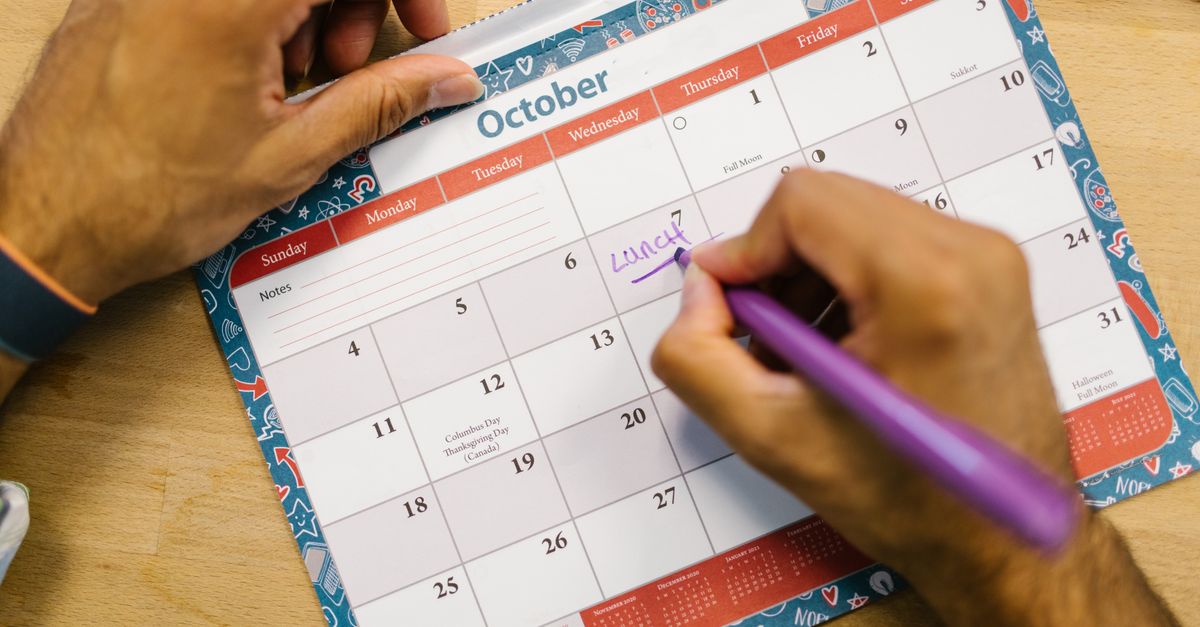
LinkedIn Content Calendar: How to Plan a Month of Posts in One Hour
The biggest reason people fail at LinkedIn content is that they approach it reactively. They post when they remember. They scramble when they have a…
LinkedIn Carousels: Why They Work and How to Create Ones Worth Reading
LinkedIn carousels are one of the most underused content formats on the platform. The ones that work generate significantly more engagement than text…

Create Full Year LinkedIn Content in One Sitting 2025
How to create a full year of LinkedIn content in one sitting. A repeatable system for batching 365 posts in a single afternoon. No more daily panic.